
A digital business card for lawyers and advocates
Your practice areas, enrolment details, chambers address and a way to call, in a link a referrer can forward intact - limited to the particulars Bar Council Rule 36 allows.
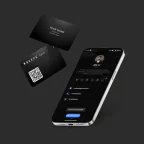
Card ₹1,699 once · profile from ₹199/year
Your logo printed free · usually arrives in 7-10 days
Read our Google reviewsLimited to the particulars Bar Council Rule 36 allows. What Rule 36 allows
Yes, within Rule 36. The Bar Council of India Rules bar advocates from advertising, but since 2008 they allow website information limited to a short Schedule of particulars. A Beeps profile built on that Schedule carries your name, enrolment details, areas of practice and contact details, opened by a tap on your card. The NFC card is ₹1,699 once, and the profile from ₹199 a year.
Sources: Bar Council of India
What Rule 36 says, and the 2008 opening
Rule 36 sits in Part VI, Chapter II of the Bar Council of India Rules, under an advocate's duty to colleagues. It opens: "An advocate shall not solicit work or advertise, either directly or indirectly", and lists circulars, advertisements, touts, personal communications and photographs published in connection with cases.
It also governs what an advocate's sign-board, name-plate and stationery may say. They should not indicate that the advocate is or has been President or Member of a Bar Council or any Association, has been associated with any person, organisation, cause or matter, specialises in any particular type of work, or has been a Judge or an Advocate General.
In 2008 the Bar Council of India added the sentence that makes a profile possible: the rule "will not stand in the way of advocates furnishing website information as prescribed in the Schedule", under intimation to and as approved by the Bar Council of India. It is strict about the edges: any input beyond the approved particulars is deemed a violation, and the advocate is liable to be proceeded against for misconduct under Section 35 of the Advocates Act, 1961.
Every particular the Schedule allows, and where it goes on a profile
The Schedule under Rule 36 is short. This is all of it, in its own order, from the Bar Council of India Rules.
| In the Schedule | On a Beeps profile |
|---|---|
| 1. Name | On a Beeps profileThe profile name, exactly as on the roll |
| 2. Address, telephone numbers, email | On a Beeps profileCall, WhatsApp and email buttons, and a map pin for your office address |
| 3(a) Enrolment number and 3(b) date of enrolment | On a Beeps profileThe first lines of the About section |
| 3(c) State Bar Council where originally enrolled | On a Beeps profileAbout section |
| 3(d) State Bar Council on whose roll your name stands now | On a Beeps profileAbout section |
| 3(e) Bar Association you are a member of | On a Beeps profileAbout section |
| 4. Professional and academic qualifications | On a Beeps profileAbout section |
| 5. Areas of practice (the Schedule gives Civil, Criminal, Taxation, Labour as examples) | On a Beeps profileAbout section, as a plain list |
| Declaration: "I hereby declare that the information given is true." | On a Beeps profileThe last line of the About section, with your name |
A compliant profile, and what would take it outside the rule
A general-purpose profile - ours included - has room for reviews, testimonials and a price list. For an advocate in India, each of those is outside the Schedule.
- Your name, as on the roll
- Office address with a map pin
- Phone, WhatsApp and email buttons
- Enrolment number and date
- Both State Bar Councils
- Your Bar Association
- Qualifications
- Areas of practice, as a list
- The declaration
- Client testimonials or a Google review buttonNot in the Schedule, and anything beyond it is deemed a violation
- "Specialist in..." or "expert in..."Rule 36: stationery should not indicate a specialisation
- "Former Judge" or "Member, Bar Council"Rule 36 rules out indicating either
- Case results, or photographs from your casesRule 36 names photographs published in connection with cases
- Fees, offers or a price listNot in the Schedule
- Associations with a cause, person or organisationRule 36 rules out indicating them on stationery
Setting up on Beeps: leave the Google review button, testimonials, product and service listings, prices and the photo gallery switched off. Booking forms, enquiry forms and payment buttons put no claims on the page, but they are not in the Schedule either - ask your State Bar Council before you turn them on.
Tell the Bar Council
The 2008 addition allows website information "under intimation to and as approved by the Bar Council of India". Treat your profile the same way: send the particulars, with the signed declaration, before you start handing out the card. Your State Bar Council can tell you how it wants that done today.
Once the profile is live, the card never needs reprinting. If your address, number or Bar Association changes, you edit the profile and every card you have handed out opens the new details.
This page explains the published rule. It is not legal advice, and your State Bar Council has the final word on how it applies to you.
How a client opens it - NFC or QR
NFC - tap the card
Hold the card to the back of an iPhone XS or later, or an NFC Android phone. A notification appears; one tap opens the profile. Metal cases can block it - the QR code is the fallback.
QR - scan the code
The same profile opens from the QR code, on any phone with a camera, including those without NFC.
What a practice actually pays
Everything the Schedule allows fits on Basic.
Questions from advocates
Can advocates in India use a digital visiting card?
Yes, within Rule 36 of the Bar Council of India Rules. The rule bars advocates from advertising, but since 2008 it has allowed website information limited to a Schedule of particulars. A profile that carries only those particulars stays inside it.
What may an advocate's profile show?
The Schedule lists: name; address, telephone numbers and email; enrolment number and date of enrolment; the State Bar Council where you were first enrolled and the one whose roll you are on now; your Bar Association; professional and academic qualifications; and areas of practice. It ends with a signed declaration that the information is true.
Can I add client reviews or testimonials?
No. They are not in the Schedule, and Rule 36 says any input beyond the approved particulars is deemed a violation, for which an advocate is liable to misconduct proceedings under Section 35 of the Advocates Act, 1961.
Can I say that I specialise in something?
Rule 36 says an advocate’s stationery should not indicate that he specialises in any particular type of work. List your areas of practice instead, the way the Schedule does - for example Civil, Criminal, Taxation, Labour.
Can I mention that I was a judge or a Bar Council member?
No. Rule 36 says stationery should not indicate that an advocate is or has been President or Member of a Bar Council or of any Association, or has been a Judge or an Advocate General.
Can I add a booking form or a payment button?
They are not particulars in the Schedule. They add no claims about you, but the rule is strict about anything extra, so ask your State Bar Council before switching them on. Call, WhatsApp and email buttons use the contact details the Schedule already allows.
Do clients need an app?
No. A tap on the NFC card or a scan of the QR code opens the profile in the phone’s browser, and the client can save your contact in one tap.
Sources
The rule and its Schedule are quoted from the Bar Council of India Rules, as published by the Bar Council of India. Read on the date shown.
- Bar Council of India, Bar Council of India Rules - Parts V to IX (Part VI, Chapter II, Rule 36 and its Schedule). Checked .
A card that says only what the rule allows.
One tap shares your name, enrolment details, areas of practice and a way to reach you - and it stays up to date. From ₹199/year.
Questions first? Ask us on WhatsApp - 24/7, usually an instant reply.