
A QR code business card you print once and edit for good
A QR code business card is a printed card with a QR code that opens your profile. A Beeps QR holds a short link, not your details, so you can change your number, prices or UPI ID and every card, board and bill you have already printed stays right. It works with any phone camera, from ₹199 a year.
- Edit it without reprinting
- Any phone camera, no app
- Download the QR as an image
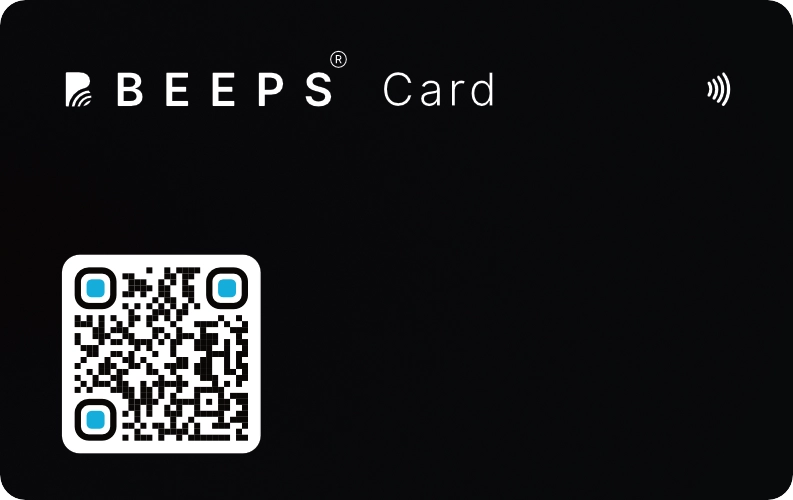
Why a QR that holds a link saves every reprint
A free contact QR (vCard) generator puts your details into the code itself. That works until one of them changes. Our guide to contact files has a free .vcf maker if that is all you need, and our free QR code generator puts any link, including your profile link, in a code with your colours and logo.
| What it does | Beeps profile QR | Contact QR (free generator) |
|---|---|---|
| What the code holds | Beeps profile QRA short link to your profile | Contact QR (free generator)Your details, fixed into the pattern |
| When your number changes | Beeps profile QREdit the profile; every printed code stays right | Contact QR (free generator)Print a new code |
| What they can do after scanning | Beeps profile QRSave, call, WhatsApp, book, send an enquiry or pay | Contact QR (free generator)Save your contact |
| Size at the same scan quality | Beeps profile QRA smaller, simpler code | Contact QR (free generator)A denser code that needs printing bigger |
| Knowing it worked | Beeps profile QRVisits and link clicks (Pro, ₹299/year) | Contact QR (free generator)Nothing to see |
Print the same QR everywhere
Paper visiting card
Keep handing out paper. A QR in the corner turns it into a profile they can save, pay and book from.
Shop board and standee
People scan it while they wait or pay, with no one needed to hand over a card. Your range and prices open straight away.
Packaging and bills
Printed on the box, the bill or a warranty card, it becomes the way back to you when they want to reorder.
ID cards and badges
The link on a staff badge stays the same when details change, and a replacement badge carries the same link.
Places a QR reaches people a card never will
A card is handed to one person. A printed QR works on everyone who walks past it.
A standee beside the till
It reaches every walk-in, including the ones who would politely refuse a card. They scan while paying, the one moment they are already holding their phone.
Printed on the invoice or bill book
The customer takes it home whether they meant to or not, and it turns up again when they are looking at what they bought.
A sticker on the box or bag
It turns a delivered order into a way to reorder. Nothing else you print is opened as surely as the thing the product came in.
Printed on the paper you already have
You do not have to stop using printed cards. A QR in the corner upgrades the stock already in your drawer.
Getting a printed QR to scan
Most QR failures are print problems, not code problems. The exact sizes, from the rules published by DENSO WAVE, the company that created the QR code, are in our QR code print guide, with a calculator.
- Print it as large as the space allows, and larger on a standee or a board than on a card. A code people have to lean in to scan gets skipped.
- Leave a clear white margin around it. Text or a border crowding the edge is a common reason a scan fails.
- Keep it dark on light, with strong contrast. Never print it over a photograph or a gradient.
- Scan the printed proof before the full run, on more than one phone, including an older one.
QR code business card questions
What is a QR code business card?
A printed card, paper or PVC, with a QR code that opens your profile on the phone that scans it. On Beeps the QR holds a short link to a profile you edit, so you can change your number, your prices or your UPI ID without reprinting anything. It works from ₹199 a year.
What is the difference between a static and a dynamic QR?
A QR that holds your contact details directly is fixed the moment it is printed: change your number and the code is wrong. A QR that holds a link opens whatever the page says today, so you edit the page instead of reprinting. A link also makes a smaller, simpler code than a full contact card, which scans more easily at visiting-card size.
Do I need an NFC card to use the QR?
No. The QR works on its own from ₹199 a year: print it on anything and send the same link on WhatsApp. Add the NFC card for ₹1,699 once if you want people to open the profile with a tap as well. Every Beeps NFC card has the QR printed on the back, for phones without NFC.
Where can I print it?
Anywhere print goes: a paper visiting card, a shop board or standee, packaging, a bill book, a brochure or an ID badge. Every profile shows its own QR code, and it downloads as an image. For the size to print it at, use the calculator in our QR print guide.
Will the QR work if my plan lapses?
No. The QR opens your hosted profile, so while the plan is expired it shows a "not found" page. The content is kept for 12 months, and if you renew within that time, the same printed QR works again. That is true of any QR that points at a hosted page.
QR or NFC - which should I use?
Both, on one card. The QR works on every phone with a camera; NFC needs a phone with NFC switched on, but it opens with a tap and no camera. A Beeps NFC card carries both, so nobody is left out. The full comparison is in our NFC vs QR guide.
Related: the NFC business card with the QR on the back, NFC vs QR business cards, and the virtual business card the QR opens.
One QR, everywhere -
update once.
From ₹199/year. Print it on paper today, and add the NFC card for ₹1,699 when you want the tap.
Questions first? Ask us on WhatsApp - 24/7, usually an instant reply.