
Digital business cards for doctors
Booking, location and WhatsApp, inside the ethics code.
Paper gives a phone number. Beeps gives a live profile your patient can open by tapping your NFC card or scanning the QR - no app. Booking, clinic location, consulting hours, WhatsApp and your registration details stay in one place, you can update them without reprinting, and nothing on it has to step outside the medical ethics code.
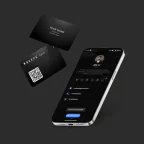
Card ₹1,699 once · profile from ₹199/year
Your logo printed free · usually arrives in 7-10 days
Read our Google reviewsWritten against the 2002 medical ethics regulations NMC applies. What the code allows
Yes, if it stays factual. The code in force is the 2002 ethics regulations, which NMC re-adopted in August 2023 and which call soliciting patients unethical. A profile with your registration number, qualifications, clinic hours, location and a booking link stays within it, and opens with a tap or a QR scan. The NFC card is ₹1,699 once, and the profile from ₹199 a year.
Sources: National Medical Commission, National Medical Commission
Which code applies, and what it allows on a card
The code in force. NMC wrote new professional conduct regulations in 2023, then held them in abeyance on 23 August 2023 and adopted the 2002 regulations of the former Medical Council of India with immediate effect. As of 28 September 2026, NMC's website still publishes the 2002 regulations as the code; check it for any later notification. Dentists answer to their own code, not this one; the page for dentists works through it.
What a card may carry. Clause 7.13 lists what a physician's sign-board should say - name, qualifications from a university or statutory body, titles, the name of the speciality, and the registration number with the name of the State Medical Council - and says the same should be the contents of prescription papers. Clause 1.4.1 asks for the registration number to be displayed in the clinic and on prescriptions, certificates and receipts.
What it rules out. Clause 6.1.1 calls soliciting patients unethical, bars publicity that invites attention to a physician's skill, achievements or honours, and says a physician shall not "boast of cases, operations, cures or remedies or permit the publication of report thereof". It does allow formal announcements - on starting practice, changing address, temporary absence - and a public declaration of charges. Clause 6.1.2 treats a self-photograph on a letterhead or clinic sign-board as self-advertisement.
- Name, recognised degrees and speciality
- Registration number and State Medical Council
- Clinic address with a map pin
- Consulting hours, and days you don't consult
- Call, WhatsApp and booking
- A plain list of consultation fees
- Patient testimonials and success stories
- Before-and-after photographs
- "Best", "leading" or results claims
- Awards and honours
- Endorsing any drug, product or brand
- A Google review button - the code predates online reviews
- Your own photograph - the code names letterheads and sign-boards, not profiles
This section explains the published regulations. It is not legal advice, and your State Medical Council has the final word on how they apply to you.
A digital card built for how patients choose doctors
Every field a patient actually looks for
Appointment & Timings
Booking link + OPD hours. Patients go from tap → slot in seconds.
Clinic Location
Google Maps + landmark. One tap to navigate - critical for first visits.
WhatsApp & Call
Direct call and prefilled WhatsApp - no number saving step.
Services & Specialization
Consultation, treatments, procedures - keep descriptions factual.
Registration & Qualifications
Registration number with your State Medical Council, and recognised degrees only - clauses 1.4.1, 1.4.2 and 7.13.
Consultation Fees
A plain list of charges. The code lists a public declaration of charges among permitted announcements.
How doctors use Beeps Card day-to-day
Patient referrals
Give referred patients your tap/QR - they save contact + location + booking without you spelling the address.
Clinic desk & reception
Reception hands tap/QR: patient fills enquiry or books without front-desk queue.
Conferences & CMEs
Networking with peers: tap shares specialization + profile, not just a number they forget.
Home visits & camps
Field camps: QR on banner lets villagers save your clinic info even after camp ends.
Second opinion requests
Share speciality, registration and timings so families can check and book without searching your name.
Multi-location clinics
One profile per doctor per location - central admin can update timings across all.
What a patient is actually looking for, and what they usually get
The gap between those two things is most of why clinic cards end up in a drawer.
A card listing qualifications
Impressive, and not what the patient needs at the moment they are holding it. They are trying to work out how to get back to you, not to re-evaluate whether you are qualified.
Lead with location, hours and booking
The three things a patient actually needs. Qualifications sit below them, where they reassure without getting in the way.
A landline as the only route back
Reception is busy, the patient is at work, and the follow-up quietly does not get booked. The appointment you lose this way never appears in any report.
Put a booking link on the profile
They arrange the follow-up when they think of it, at nine in the evening, without needing anyone to answer a phone.
Nothing a patient can forward
Most new patients arrive on a personal recommendation. What gets passed on is usually your name and a vague description of which building you are in.
Make the recommendation forwardable
Your relative-of-a-patient receives a page with your clinic on a map and a booking link, and can act on it immediately.
Setting up a clinic profile
Ordered by what a patient reaches for first.
- Put the Maps pin on the building patients actually visit, which is not always the address on your registration.
- List consulting hours per day, including the days you do not consult. Absent information gets interpreted as "probably open".
- Add a booking link before anything else. It is the single item that removes the most work from your reception.
- Show your registration number and the State Medical Council that issued it - the same line your prescriptions carry.
- Leave out testimonials, success stories, "best" claims and awards. The profile is public and indexable, which is not true of a printed card.
Traditional networking vs Beeps
What should a doctor’s Beeps profile include?
A suggested order - name and registration, then how to book and how to reach you - and you can hide any block you don’t need.
How doctors share Beeps - NFC + QR
Recipient needs no Beeps app - profile opens in Safari/Chrome.
NFC - tap the card
Hold the PVC card to the back of iPhone XS+ or NFC Android. Banner appears - one tap opens your profile. Range ~4cm by design; plastic/leather cases fine, metal may block → use QR.
QR - scan the code
Same profile. Print QR on desk standee, paper card or prescription sleeve - scan with any camera, including budget Androids without NFC.
Beeps vs traditional visiting card - for doctors
| Capability | Traditional | Beeps Card |
|---|---|---|
| Contact + save | Traditional✓ | Beeps Card✓ |
| Traditional✕ | Beeps Card✓ | |
| Services | TraditionalLimited | Beeps Card✓ |
| Booking | Traditional✕ | Beeps Card✓ |
| Location (Maps) | TraditionalLimited | Beeps Card✓ |
| Updates | Traditional✕ | Beeps Card✓ |
| Analytics | Traditional✕ | Beeps Card✓ Pro |
More for doctors and clinics
Other regulated professions, and the question patients ask most.
What a clinic actually pays
Card once, hosted profile yearly - the profile is your ongoing business identity, not just NFC.
Doctor-specific questions
Is a digital business card useful for doctors?
Yes - paper gives only a phone number. A Beeps profile shares booking, clinic location, consulting hours, WhatsApp and your registration details in one tap or scan, so patients don’t have to search separately.
Which ethics code applies to doctors in India now?
The Indian Medical Council (Professional Conduct, Etiquette and Ethics) Regulations, 2002. NMC held its 2023 professional conduct regulations in abeyance on 23 August 2023 and adopted the 2002 regulations with immediate effect. Check NMC’s website for any later notification.
Should my registration number be on the profile?
Yes. Clause 1.4.1 asks every physician to display the registration number given by the State Medical Council in the clinic and on prescriptions, certificates and receipts, and clause 7.13 lists it, with the name of the council, among what a sign-board and prescription paper should carry.
Can doctors add appointment booking to Beeps?
Yes - add a booking link so patients open your slot directly from your profile. No extra scheduling app needed on their side.
Can I add my clinic location and directions?
Yes - add Google Maps location. Patients tap to navigate, which is especially useful for first-time visitors to clinics in Kochi, Bangalore, Chennai and other cities.
Can patients contact me via WhatsApp from the card?
Yes - WhatsApp is the first action on a doctor profile in India. Tap opens a prefilled chat - no number saving needed.
Can I list my speciality and services?
Yes, factually. Clause 7.13 lists your name, qualifications from a university or statutory body, titles, the name of your speciality and your registration number as the contents of a sign-board and prescription paper. Keep to recognised degrees (clause 1.4.2), and leave out claims about results.
Can I add patient testimonials or a Google review button?
Leave testimonials off: clause 6.1.1 says a physician shall not boast of cases, operations, cures or remedies or permit the publication of reports of them. Reviews are a grey area - the code predates them, and a review describing a cure sits close to that line - so ask your State Medical Council before switching a review button on.
Can I show my consultation fees?
Clause 6.1.1 lists a public declaration of charges among the announcements a physician may make, so a plain list of consultation fees fits.
Can I update my profile later?
Yes - edit phone, location, timings or services in your dashboard; every card/QR you’ve shared updates instantly - no reprint.
Do patients need an app to open it?
No - tap NFC or scan QR opens your profile in the normal browser (Safari/Chrome). They can save your contact with one tap.
Sources
The code and its status are quoted from the National Medical Commission's own website and its notification in the Gazette of India. Each was read on the date shown.
- National Medical Commission, Notification No. R-12013/01/2022/Ethics, 23 August 2023 (Gazette of India, 24 August 2023). Checked .
- National Medical Commission, Indian Medical Council (Professional Conduct, Etiquette and Ethics) Regulations, 2002. Checked .
Give patients a simpler way
to connect with you.
One tap shares booking, location and WhatsApp - and it stays updated. From ₹199/year.
Questions first? Ask us on WhatsApp - 24/7, usually an instant reply.